With the release of ChurchSalary 3.1 on August 19, 2026, information about benefits will be included in two places:
- Enhanced Benefits section inside every Report
- New Benefits app
This article unpacks how the new Benefits app works and how to apply it to your staff.
- Click here to learn more about the new enhanced Benefits Section.
- Click here to learn more about our new ChurchSalary 3.1 features and apps.
If you prefer to watch instead of read, check out the four short videos within each section below.
Powered by Employee Profiles
We updated the benefits section inside of every Employee Profile to directly power the new Benefits app. Before you use the app, we recommend that you add information for each of your employees.
Received? (Yes/No)
The first piece of information you can enter — that directly powers the new Benefits app — is whether or not the church provide a given benefit to the employee. If you don't know the cost of providing a given benefit, you can now toggle a switch between "Yes" and "No."
Amounts
If you know the cost of providing a given benefit, enter the amount into the respective field. Providing these amounts, again, will directly power the Benefits app.
Salary Summary
Once you enter the cost of benefits and salary information for an employee, the Employee Profile form will summarize this at the bottom in a section labeled the "Salary Summary." This summary condenses all of the salary and benefits costs for a given employee into a total compensation figure.
Section 1: Distribution of Benefit Costs
To launch the Benefits app, you must select an employee and click the app button. This provides the application with a set of criteria to load both sections of the report.
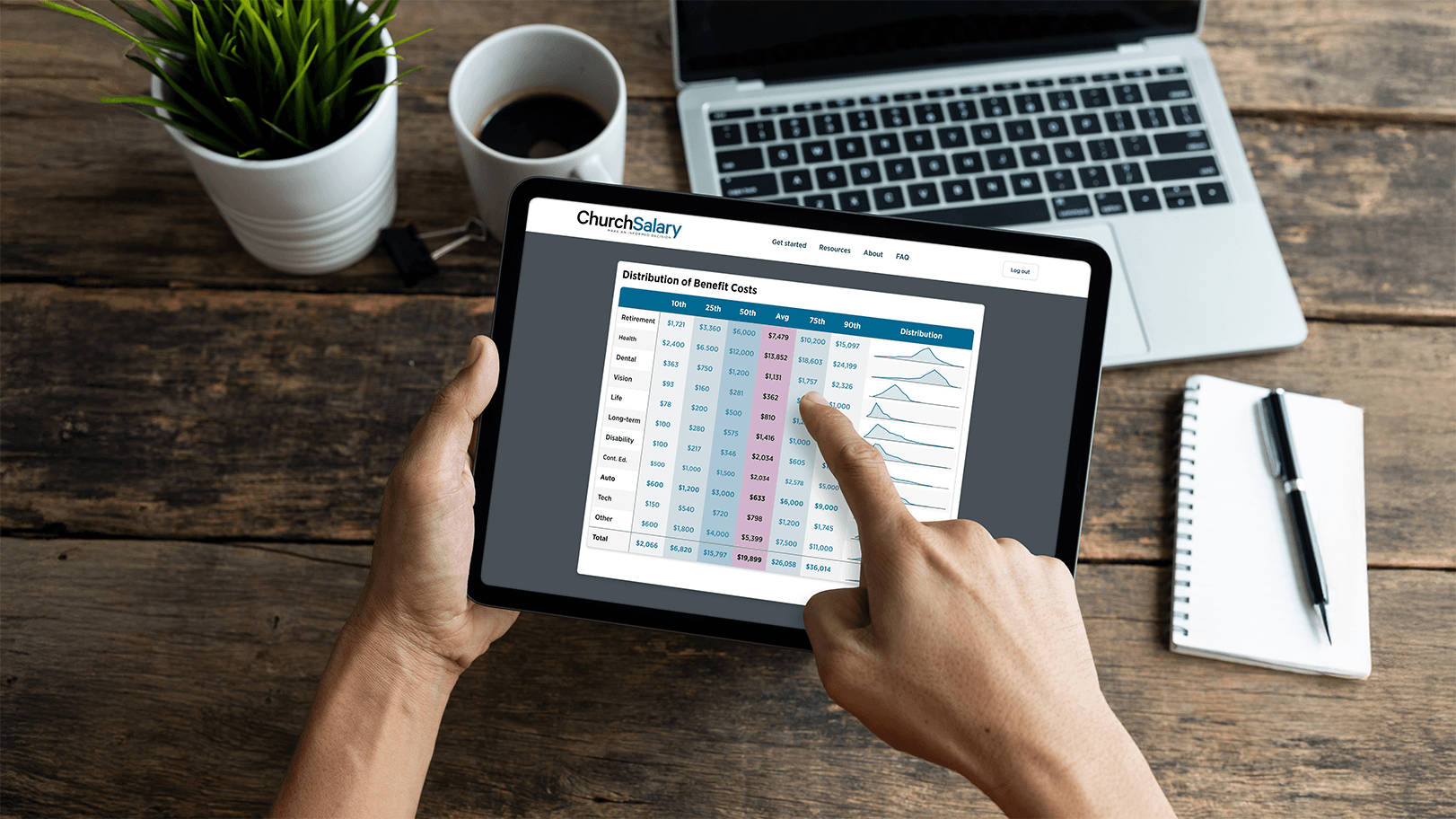
The first section expands on the averages included in every salary report, showing you the distribution of spending for each benefit across all similar employees (position + status).
- 10 percentile
- 25th percentile or first quartile
- 50th percentile or median
- Average
- 75th percentile or third quartile
- 90th percentile
On the right-hand side, we've included a sparklines distribution chart. The purpose of these smaller charts is to visualize not only the range of spending on each benefit but to visualize the range of spending across all benefits — i.e., which benefits are more expensive to provide and which benefits a relatively cheap.
If you've told us which benefits a given employee receives via their Employee Profile, the app will automatically bold those benefits.
If you haven't had a chance to update an employee's profile, you can directly toggle the "Yes/No" switches by opening the Control Panel at the top of the page (click "Edit Criteria").
Section 2: Selected Employee Analysis
If you have added the cost of benefits for the selected employee, the second section of the app will benchmark those costs relative to their peers (similar employees = position + status). If you have not added amounts, this section will show dashes because we need numbers to provide you with a benchmark.
The benchmark represents the percentage of employees whose churches spend the same or less money for that type of benefit.
For example, if your church spends $10,000 to assist with retirement for your lead / senior pastor, the app may display a "77th percentile." This means that 77% of churches spend $10,000 or less on retirement for their lead/senior pastors.
How to Apply
While the first distribution section is designed to give you an overview of the breadth of benefit costs, the second section is designed to focus on your selected employee and benchmark them among the entire distribution of their peers.
Combine the information from both sections to gain a more comprehensive picture of the range of benefits spending and where your employees sit relative to their peers.
Is your benefits package generous, average, or below average?
We also encourage you to download each section, label the files, and incorporate them into a report that you share with your personnel team during budget season.
The Selected Employee Analysis section may also be a useful tool for communicating the cost of benefits to specific employees. It is one thing to have health insurance or a continuing education stipdent. It is another to understand that your church is being generous and going above and beyond the marketplace.