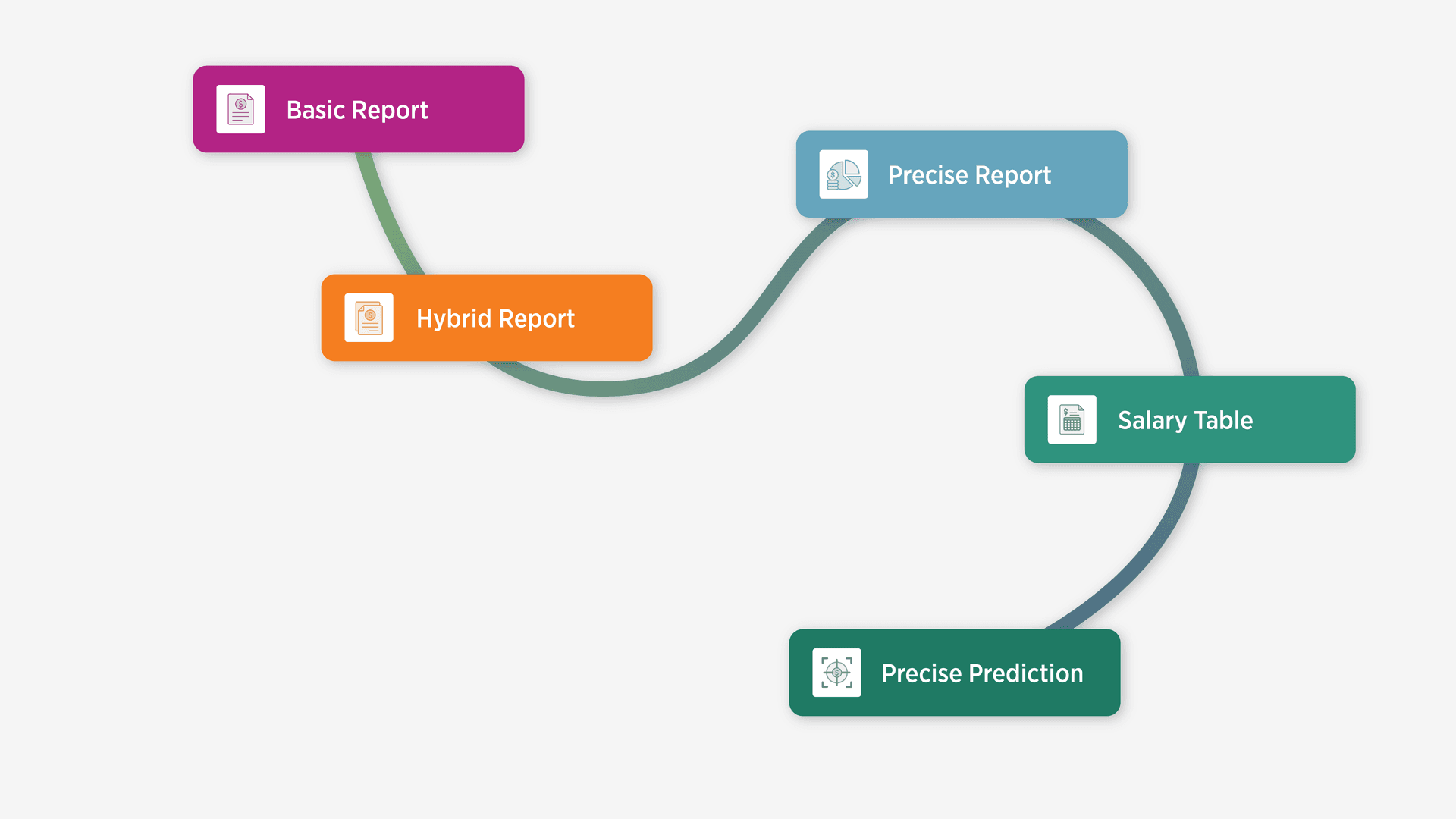
Our new ChurchSalary 3.0 website is built for a wider array of church leaders based on church size, organizational complexity, and familiarity with HR processes and salary analysis.
Whether you are a solo pastor at a rural church or an HR director at a multisite megachurch, selecting the right reporting tool depends on five critical factors:
- Where does your church sit within our present budget and attendance ranges?
- How complex are your staff roles?
- How much statistical precision does your church/org require?
- How large is your team?
- How do you intend to apply the data?
Factor 1: Preset Budget & Size Ranges
Our historical salary survey aggregated church budget and size into preset "bins" or ranges (e.g., churches with a budget between $1M and $2M fall into category 7).
- Under $50K = Category 1
- $50K–$100K = Category 2
- $100K–$250K = Category 3
- …
- $1M–$2m = Category 7
This methodology works well if your church falls comfortably into the middle of a range (e.g., $1.5M).
If your church fits neatly into the 10 preset categories below, the Basic or Hybrid Report apps are likely a robust and efficient option.
However, if your church sits on either side of the range for a given category—for instance, $1.1M or $1.9M—then the Basic or Hybrid Report apps may distort and complicate identifying the right salary range for your staff.
This is because the median salary in the Basic and Hybrid Report apps and most of the nationwide averages are driven by churches in the middle of the budget and/or size range you’ve selected. If your church is on either side of the range, pay for your staff will be reflected by salaries that fall onto either side of the distribution.
The Solution → Precise Report
If your church is an outlier within standard categories, the Precise Report is probably the best option for you. This version of the salary report allows Pro and Pro+ members to create custom ranges using the Histogram Range Slider rather than being stuck with pre-determined categories.
You can define a custom minimum and maximum range (e.g., $1.49M to $2.49M ,000 if your budget is $1.9M) that centers your church in the middle of the distribution graph in the Nationwide Salary Summary section.
Factor 2: Hybrid Staff & Roles
ChurchSalary categorizes employees into 18 common pastoral and staff position types. For many churches, these 18 positions are sufficient to label each staff with 1 position type.
However, many churches employ staff who wear multiple hats. For example, an "Associate Worship & Youth Pastor" at your church will likely not fit neatly into a single box.
On the previous version of ChurchSalary, leaders needed to run two or three separate reports and attempt to mathematically blend the results manually. We even created an entire Help Center article to help churches do the math.
The Solution → Hybrid Report
If your staff roles defy standard categorization, the Hybrid Report app will be an essential tool for analyzing compensation levels.
Available to Expanded members and above, the Hybrid Report app allows leaders to add and mix up to three different positions to a single Employee Profile. For example, you can create an employee that is 50% Associate Pastor, 30% Worship Pastor, and 20% Children's Pastor.
When you select this hybrid "Associate Worship & Youth Pastor" and click the Hybrid Report button, the application will automatically calculate weighted percentiles and averages from the ground up based on your specified mix, delivering a report that reflects the unique blend of responsibilities for your hybrid staff members. Along with a hybrid tab, the app also includes a standalone tab for each individual position. This allows you to toggle between figures online and the saved PDF will collate these reports one after the other for reference. This empowers churches to fully understand how the numbers are being mixed in the Hybrid Report if they so desire and to understand how much each position is contributing to the final set of figures.
Factor 3: Statistical Rigor and Confidence
For finance committees and personnel boards, a simple number may not be enough; they require a certain level of statistical confidence in employee salary reports. While the Basic and Hybrid Report apps include a median, percentiles, and multiple averages, many professional users want to quantify the variability and sample size behind each figure.
We often receive Support questions asking, "How many employees are included in this report?" or "What is the margin of error for these averages?"
The Solution → Precise Report
If you care deeply about sample size and margin of error and fully understand how to interpret and apply these statistical measures, you should consider upgrading to a Pro or Pro+ membership to leverage the Precise Report for your church or organization.
This Precise Report includes a Dynamic Sample Size Banner that updates in real-time as you adjust each of the four core criteria (position, status, budget, and size) to estimate the number of "similar employees at similar churches” your criteria will draw in from our entire database. You can then mouse over any figure in the Precise Report to view either sample size (N) or margin of error (+/-).
Factor 4: Staff Volume and Scale
Generating individual reports for a staff of three is manageable. Generating individual reports for a staff of 50 is extremely time consuming. Large churches and multisite organizations often need to view compensation data holistically to identify pay equity issues and establish salary bands across the entire organization.
The Solution → Salary Tables
For churches with large teams, the Salary Tables application (available to Pro+ members) is indispensable. This tool generates a table that includes all of the major figures in a precise salary report using the employee profile stored in your dashboard. The process takes a minimum of three mouse clicks to go from Dashboard to a downloadable CSV table or PDF.
Instead of generating, saving, and organizing dozens of PDFs, the Salary Tables app provides you with a consolidated view of the 25th, 50th, and 75th percentiles for your entire roster.
Additionally, Pro+ members can use the Precise Prediction app to quickly estimate a benchmark for staff using ChurchSalary’s proprietary quantitative AI model. In plain English, the AI model that powers the Precise Prediction app is essentially a high-dimensional math formula that predicts total salary based on a series of compensation factors and variables drawn from both the Employee Profile and a host of demographic data points dynamically sourced from government database using your church’s location. It is our most advanced tool for our most advanced users.
Factor 5: Using and Adapting the Data
Finally, consider how you intend to use the data.
If you are conducting a quick annual review for a single position, a single PDF report from the Basic Salary Report app may offer all you need. However, if you are an HR professional or Executive Pastor building a compensation strategy from scratch, you may need to generate Hybrid Reports for hard to categorize staff, create a custom budget range for a Precise Report, or to manipulate raw data from the Salary Tables app in spreadsheet software.
Take a second to evaluate the needs of your church or organization and make an honest assessment of your time. Sometimes a cheaper membership package will slow you down and shift the workload back onto your shoulders.